
Описание
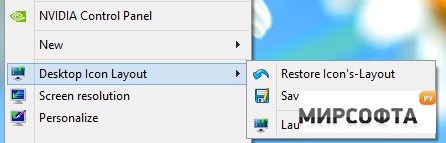
ReIcon will save and restore your desktop icon layouts by allowing you to save your desktop layout and restore it with the click of a button. Suppose you frequently change your screen resolution to play games or use applications that require a specific resolution. In that case, you are probably familiar with the fact that your desktop icons are usually a mess after you switch back to your normal resolution. ReIcon solves this problem by allowing you to save your desktop layout and restore it with the click of a button (Or just with Right-Click Context Menu). Set your icons the way you like them, save the Layout, then restore it later when the need arises. ReIcon Features and Benefits: Save your favorite icon’s Layout for each screen resolution Save the Layout of many Icons No need for installation Unicode Support Easily add the “Save / restore Icon’s Layout” feature in the Context menu Cmd support (ReIcon /?) Align icons to Grid feature – allows you to bring icons into proper position (similar to Windows Auto Range Icons feature) Similar: How to Change Desktop Icon Size in Windows 10 & 11 Desktop Icons Loading Slowly in Windows How to Rebuild the Windows Icon Cache When Thumbnails or Icons Aren\\\'t Working Desktop Icons Jump Back to Original Location When Moved