
Описание
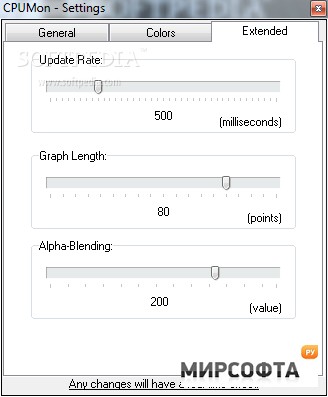
CPUMon is a simple little gadget to monitor CPU performance from your desktop. It displays a real-time graph of CPU performance as well as current usage indicator. The display supports custom colors, alpha-blending, user defined update rates and more. Some of the features: transparency, alpha-blending, customizable colors, layout presets, form locking, constantly updated CPU speed for mobile processors, tray icon mode, statistics, memory usage, and much more.Comes integrated together with \"Carbonsoft cxCpu Processor Detection Toolkit\", which provides: CPU Explorer - detailed CPU information, supports multiple CPUs; CPU Features - lists supported CPU features. Change Info:- Updated application icon using a vectorized version;- Updated tray icon images, cleaner and with non-transparent background;- Combined \"CPU Explorer\" and \"CPU Features\" dialogs into \"CPU Information\";- Added option to show memory usage as percentage instead of MB;- Rearranged settings by moving visual options to a new tab;- Built-in registration facility and Terms of Use dialog;- Free version is now known as \"Lite\" and licensed version as \"Pro\";- Added purchase and compare editions options to the Help menu;- Added splash logo label, shown during first 5 seconds;- Various performance improvements;- Added thousands separators;- Updated donation URL;- Removed 0 and 100 axis labels from the graph;- Slightly wider and taller graphs for better use of the available space;- Changed font on the graph axis labels to avoid font smoothing side effects which caused the background color to show up on the font edges;- Control buttons are now hidden after 3 seconds and automatically shown when mouse is moved over the main window;- Added \"Hide tray icon when main window is visible\" option and by default the tray icon is always visible;- Refactored tray icon code and moved into a separate unit;- Changed how \"Always on top\" option is applied, it now requires a restart;- Translation field in the About dialog became more apparent;- Right click on the white header of the About dialog will place application\'s version information in to the clipboard;- Corrected tab order of checkboxes in the settings;