Описание
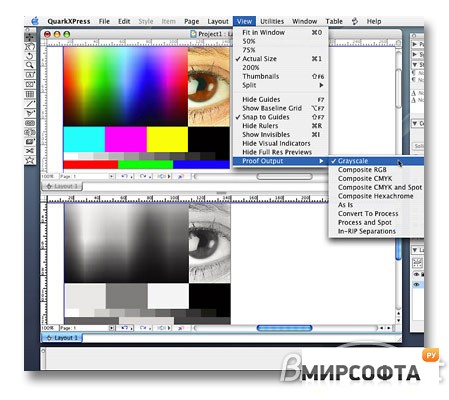
QuarkXPressР’В® is powerful design and page layout software with an intuitive, versatile interface that lets you combine superior typography with color and pictures to produce dynamic final output for print and Web delivery. QuarkXPress is widely used by magazines, newspapers, advertising agencies and design firms, marketers, printers, corporate publishers, catalog houses, and book publishers. A new way to work Industry experts are calling QuarkXPress 7 one of Quark's most significant upgrades ever. With more than 160 new features and enhancements, QuarkXPress 7 cements Quark's tradition of innovation by enabling a new way of working that focuses on the layout, design, and production environments as a whole rather than as separate processes. QuarkXPress Passport QuarkXPress PassportР’В® offers all the features and capabilities of QuarkXPress plus the ability to display menus, check spelling, and properly hyphenate text in 11 languages - making your international publishing easier and more efficient. It features: • Intuitive and adaptable interface • Picture manipulation and color management • Flexible options for importing and editing text • Precise and professional typography • Multiple document layout and text flow options • Share attributes among complex projects • Tools for creative document design • Professional printing capabilities • Tools for media-independent publishing • XTensions software for customizing workflow • QuarkXPress Passport New features: Transparency Color opacity Alpha channel masks in TIFF and PSD Drop shadows Synchronized angle Runaround Picture Effects enhancements Support for raster EPS Non-destructive mask manipulation Integrates with Shared Content feature PSD Import enhancements Background transparency supported (in addition to layer transparency and blending modes) Composition Zones Revolutionary layout feature lets you design once and use anywhere with live updates Intuitive color management Automatic monitor profile detection Easy soft proofing Shared Content Retain picture attributes when replacing pictures Synchronize attributes and content of any item, image, or text Typography Advanced OpenType features Glyph palette Insert Special Character menu Font fallback Streamlined interface Measurement palette enhancements Smart palette snapping Identify layer items with layer colors Tables enhancements Running headers and footers Splitting tables and running tables Auto resize cells Automatically select all even rows, even columns, odd rows, or odd columns Transparency XDraw graphics Improved text smoothing Anti-aliased graphic export to Web Quark Job Jackets Synchronized design settings (among multiple users) Synchronized color settings (among multiple users) Customizable preflighting (layout evaluation) JDF support Advanced color management Backward compatibility Source and output setups Many new advanced settings PDF/X 1-a and PDF/X 3 Evaluation Verification Output Styles Print EPS PDF PPML Print dialog enhancements Easy-to-use preview Create Print Style from dialog Font download Output JDF PostScript 3 enhancements Summary screen Projects and Layouts Single layout mode Append projects Export Projects Multiple Window and Split Window view Variable data PPML export